Quick comparison
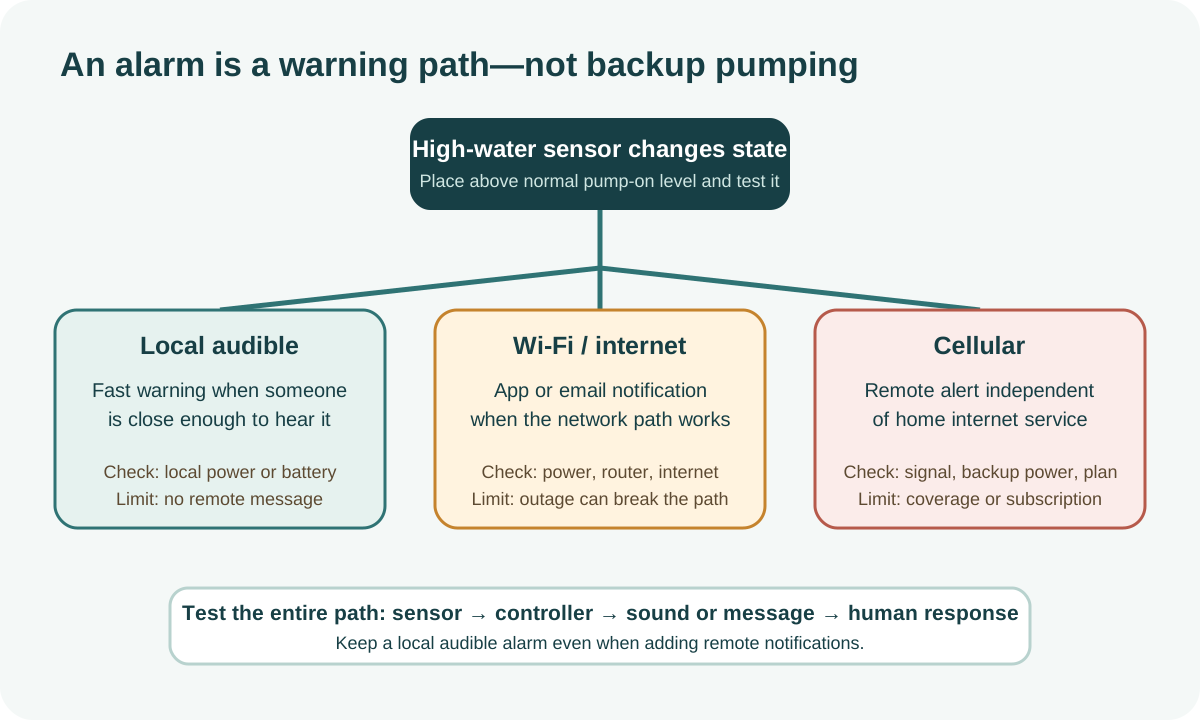
This comparison is Ready Home Systems editorial failure-mode synthesis, not a capability or service claim for every connected alarm. Choose the notification path around who needs to hear it and which failures are likely. A local audible alarm can work without an account but helps only within hearing range. Wi-Fi adds a possible remote path but can depend on power, router, internet, vendor cloud, phone settings, and the selected product's current service. Cellular or auto-dialer equipment has a different dependency chain that must be verified from its documentation, including signal, supported networks, service status, power, and any recurring fee.
Do not confuse notification with water removal. FEMA's urban-flooding guide asks homeowners to consider both battery backup and an alarm because they solve different problems. The pump manages water within its capacity; the alarm tells someone that water reached an abnormal level. A complete design also needs a person who knows what to do when the alert arrives.[2][3]
Why an alarm complements rather than replaces backup pumping
High water can mean power loss, a failed primary pump, stuck float, blocked discharge, inflow above capacity, or a backup system that is already struggling. An alarm buys response time but does not stop the rise. Conversely, a backup pump may operate without anyone knowing that the primary system failed. Pairing the two exposes a failure while preserving some pumping capacity.
Set response expectations before the storm. A nearby adult might safely verify power and call a plumber; an absent homeowner may need a trusted contact; rapidly rising water or electrical hazards may require emergency services and keeping out of the basement. Never enter floodwater around electrical equipment to silence an alarm.[2][1]
Local audible alarms
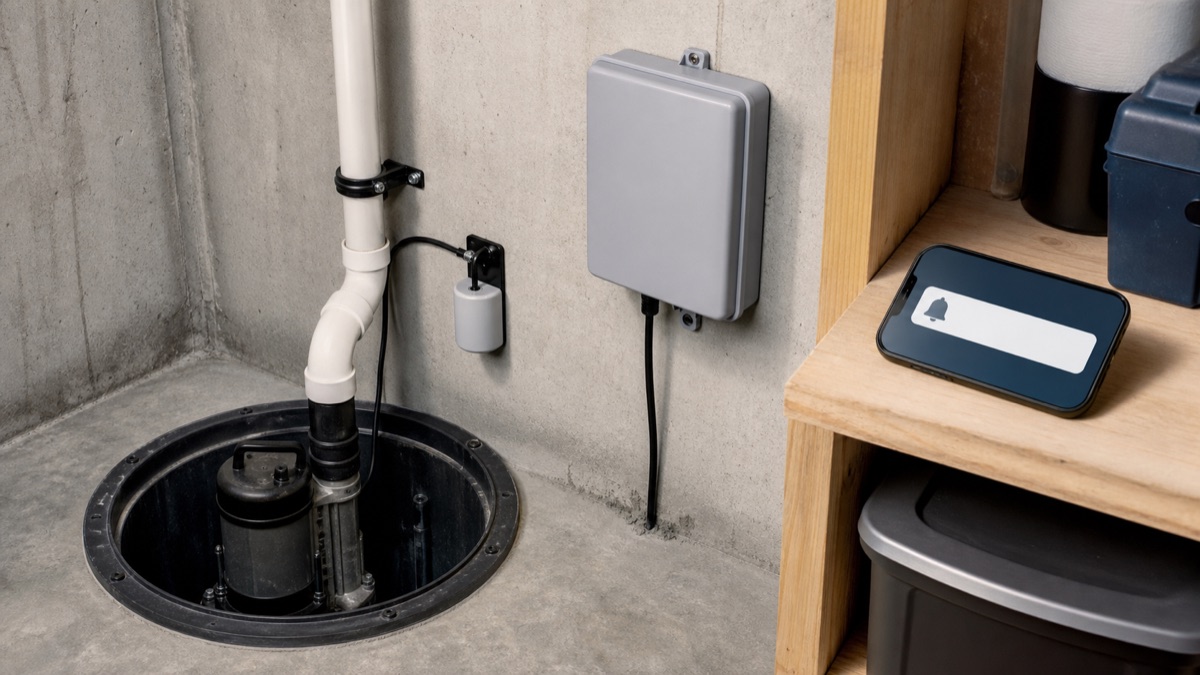
A local alarm offers the shortest path: sensor changes state and the unit sounds or flashes. Compare sound level at the occupied floor, separate power or battery capability, low-battery indication, test control, sensor cable length, enclosure rating, and whether the horn resets automatically. Mount it where sound is not buried behind a closed mechanical-room door.
Liberty's ALM-Series manual documents audible and visual behavior, a backup 9V battery, low-battery chirp, and test procedure for covered models. Those details cannot be assigned to every alarm. Verify the exact manual, especially for outdoor use, auxiliary contacts, sewage applications, and how long a silence command persists.[4]
Map every Wi-Fi notification dependency
A connected alarm can add a remote path, but the exact product documentation controls whether it offers app, email, text-style, auxiliary-contact, or monitoring features. Liberty's current ALM-Series manual identifies internet connectivity only for its NightEye-enabled models; it does not establish capabilities for every local or connected alarm. Record the exact model, service, account, intended recipients, and supported event types.
Trace alarm power, backup battery, Wi-Fi radio, router, modem or fiber terminal, internet provider, vendor service, phone connection, notification permission, and the recipient noticing the message. Test only interruptions the manufacturer permits and document which path remains. A successful setup screen or local siren does not prove delivery during a neighborhood power and communications outage.[4][2]
Cellular and auto-dialer paths
The following network checklist is Ready Home Systems editorial failure-mode synthesis, not a promise that a named alarm includes cellular service. A cellular communicator can reduce dependence on the home's router, but still requires verified signal, a supported carrier and network, active service, adequate backup power, configured recipients, and successful end-to-end testing. A landline or monitoring-panel auto-dialer has a different dependency chain.
Liberty's general FAQ supports only the stated ADC-1 auto-dialer product fact: it can dial listed phone numbers when used with a compatible alarm or control panel with auxiliary contacts. The separate ALM manual documents model-specific auxiliary-contact ratings. Those facts do not support universal cellular, monitoring, subscription, or delivery claims, and contact wiring belongs with a qualified installer.[4][5]
Power and connectivity failure modes
Test beyond the happy path. What happens when utility power fails, the alarm battery is low, Wi-Fi disappears, the internet remains down, the app is logged out, the phone is in focus mode, or the cellular subscription lapses? Does the local horn still work? Is a trouble notification distinct from high water? Can another person receive alerts? Document the answers.
Separate alarm power from pump power where the installation and code permit so one failed circuit does not silently remove both functions. Do not improvise electrical changes. Inspect cords and receptacles from a dry area and use qualified help for circuit or contact wiring. Federal flood guidance emphasizes avoiding floodwater hazards; notification hardware is not worth entering an energized wet space.[1][4]
Sensor placement
Place a high-water sensor above the normal primary-pump activation level but low enough to warn before overflow. It must not tangle with either pump float, rest against the pit wall in a way that prevents movement, or sit where turbulence creates nuisance alarms. Preserve service access and follow the sensor orientation and mounting instructions.
Liberty's cited sump sensor instructions place the alarm activation point slightly higher than the pump activation point for those models and describe the physical mark used during testing. That is a useful principle with a model-specific implementation. In a crowded or unusually shaped pit, have the installer prove that primary float, backup float, and alarm sensor can move independently.[4]
Run the alarm channel and recipient test end to end
Write an alarm channel and recipient test for every installed path. Start at the exact sensor using only the manual's test method, then confirm local sound and light, backup-battery indication, app or dialer transmission, the named recipient device, acknowledgement, and the escalation if that person cannot respond. Liberty's current ALM-Series manual gives exact sensor and test procedures for its named models; do not transfer those steps or service intervals to another alarm.
Repeat with one dependency unavailable at a time when the product supports a safe test: household AC, Wi-Fi, router, internet service, cellular service, phone notification permissions, or monitoring account. Record what still works rather than assuming the word wireless means outage-independent. Do not create an active flood, obstruct a pump float, reach into an energized pit, or silence the alarm without restoring the response path.
Close the test only when a recipient can state the alarm identity, property, time, and agreed safe action. A local siren can protect occupants but not an empty house; an app event can leave the device but fail at the phone or human handoff. Keep pump maintenance and high-water notification as separate test rows because success in one does not prove the other.[4][2][5]
| Test point | Evidence | Pass | Unresolved dependency |
|---|---|---|---|
| Sensor | Exact-model test method and activation | Alarm starts without blocking pump controls | Unsafe or undocumented sensor test |
| Local | Sound, light, backup-power indication | Occupant can identify the condition | No one present during likely outage |
| Remote | Wi-Fi, cellular, dialer, or monitoring event | Named device receives the correct event | Router, internet, service, or permissions fail |
| Human response | Recipient acknowledgement and escalation | Safe action and backup contact are confirmed | Delivery without acknowledgement is not closed |
Scroll sideways to read every column on smaller screens.
Check privacy, service, and local-alarm continuity
Read the selected connected-alarm provider's current privacy, security, account and service documents for data collection, device location, status history, phone or email use, retention, sharing, deletion, authentication, support life, and subscription terms. The pump or sensor manual cannot answer all of those questions, and one manufacturer's connected feature should not be generalized to another service.
Record what local sound, light, sensing, backup power, auxiliary output, and remote delivery continue if Wi-Fi, cloud service, monitoring, or a paid plan ends. Price the supported batteries and service over the intended ownership period. Keep an exit plan for account transfer or product retirement so remote convenience does not silently remove the independent local warning.[4][5]
Selection table
This selection method is Ready Home Systems editorial failure-mode synthesis rather than a ranking derived from the cited alarm manuals. Score choices against actual occupancy. If someone is nearly always home and the alarm is clearly audible, local notification may cover the principal need. Frequent travel increases the value of a tested remote path and a local responder. Unreliable broadband makes a Wi-Fi-only design weak. Poor cellular signal makes a cellular-only claim weak. Layering paths can be more resilient than buying the most elaborate label.
Before purchase, verify sensor type, pit compatibility, power source, backup behavior, local sound, remote channel, recurring fees, supported phones or networks, contact outputs, enclosure location, warranty, and test instructions. Then write the response list: who receives the alert, who can enter safely, which contractor is called, and where the pump and discharge information is stored.[2][4]
Professional triggers
Use an installer when the pit is crowded, floats interfere, wiring or auxiliary contacts are needed, a separate circuit is considered, local code governs the work, or sewage rather than clear sump water is involved. Call service when high water recurs, the pump runs without lowering the pit, a breaker trips, the discharge may be blocked, or the alarm cannot be tested reliably.
During active flooding, prioritize people. Stay out of water near electrical equipment, follow local instructions, and call emergency help when conditions are dangerous. Afterward, preserve event times and alerts; they can show whether power, pump, discharge, inflow, or notification failed first. That evidence improves the next repair instead of treating the horn as the root problem.[1][2]
Related reading and tools
Choose the next step for your situation: measure, compare options, or maintain and verify.
- Explore the topicSump Pump Backup
- Measure with a toolSump Pump Battery Runtime Calculator
- Compare your optionsChoosing a Sump Pump Battery Backup: Capacity, Duration and Failure Checks
- Maintain and verifyHow Often Should a Sump Pump Backup Battery Be Replaced?
- Maintain and verifyPrimary and Backup Sump Pump Maintenance Checklist
How this guide was checked 2026-09-17T00:00:00.000Z
Guides are built from official sources, product documentation, manufacturer manuals, and practical homeowner decision criteria. We do not claim hands-on product testing unless a page explicitly says a product was tested.
- Source-backed editorial review
- 5 cited source records
- Backup pump sizing depends on pit inflow, lift height, discharge path, battery age, and local flood risk. Check manufacturer instructions and local code.
Ready Home Systems is educational and not a substitute for local code officials, licensed trades, medical providers, water labs, or mitigation professionals.
Read review methodologySources and manuals
- FloodsReady.gov / Federal Emergency Management Agency
- Urban Flooding: Guidance for Homeowners and RentersFEMA
- Five Facts to Help New Homeowners Protect Against Water DamageNational Flood Insurance Program
- ALM-Series Indoor Alarms Installation ManualLiberty Pumps
- FAQ - GeneralLiberty Pumps
FAQ
What must an end-to-end sump alarm test prove?
It should prove sensor activation, local indications, each intended remote channel, delivery to a named recipient, acknowledgement, and the response or escalation path.
Does a successful app event prove outage operation?
Not unless the test also accounts for alarm backup power, router and internet power, service availability, phone permissions, and the recipient. Record every dependency.
Can the high-water alarm replace a backup pump?
No. The alarm reports a condition; it does not remove water. Maintain independent pumping, discharge, and response plans.
Where should the alarm sensor activate?
Use the exact alarm and pump manuals plus the installer’s layout so the sensor warns above normal cycling without obstructing either pump float. There is no universal height.
Keep a copy for reference or share the guide. Check the online version for later updates.
Ready Home Systems · https://readyhomesystems.com/sump-pump-high-water-alarm/
Planning guidance, not a professional assessment. Check the online guide and cited sources for updates.