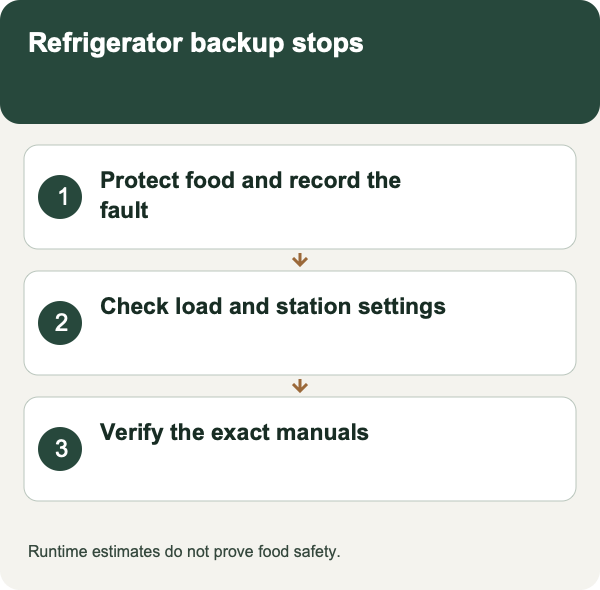
Protect the food and capture the symptom first
Keep the refrigerator door closed while you investigate, and note when cooling power was last known to be available. FoodSafety.gov says an unopened refrigerator generally keeps food safe for about four hours during an outage. That is not permission to ignore measured food temperature or an earlier interruption. Use an appliance thermometer and the official food-by-food chart when deciding what must be discarded; never taste food to determine safety. The chart generally calls for discarding perishable foods such as meat, milk, and leftovers after more than two hours at 40°F or above; individual food categories have specific instructions.
Before resetting anything, photograph the power-station display and note the time, battery percentage, output status, warning icon, other connected devices, and what the refrigerator was doing. If the display itself is asleep, wake it using the documented control without deliberately cycling AC output. Your first task is to preserve evidence, not make the warning disappear.[6][1]
Decide whether the refrigerator stopped or its power source stopped
A silent compressor does not necessarily mean a power failure. GE explains that refrigerator compressors and fans may pause during defrost, and a compressor can delay restarting after an interruption while the refrigeration system equalizes. Your refrigerator’s controls and manual determine what is normal. Avoid repeatedly opening the door just to check the lamp; one observation combined with the station display is more useful.
Create two separate notes: AC output available or unavailable, and refrigerator cooling confirmed or unconfirmed. A lit station screen is not proof that its AC receptacles are enabled. Equally, a lit refrigerator is not proof that its compressor is cooling. If power remains available but temperature rises outside the appliance’s expected behavior, the investigation may belong with an appliance technician rather than the battery manufacturer.[5][1]
- Record whether the station's AC-output indicator is still on.
- Copy the exact warning, displayed load and time of the event before clearing anything.
- Note whether the compressor was starting, had been quiet, or had already run for a while.
- Keep the food-temperature record separate from the equipment diagnosis.
A cutoff after a quiet interval suggests an idle-output setting
Some stations switch off AC after low or zero demand persists. That can conflict with an appliance that cycles. EcoFlow’s DELTA 2 manual specifically warns that intermittent refrigerator loads can trigger its AC timeout and directs users needing continuous availability to set that timeout to never. Treat that as a documented example, not a button sequence or default shared by every brand.
Look in your exact-model manual for AC timeout, ECO mode, power saving, or low-load shutdown. Distinguish display sleep from output shutdown. Save a screenshot of the existing setting before changing only the documented control relevant to refrigeration. If the manual does not explain the behavior, ask manufacturer support. Do not add a heater or another artificial load simply to keep the outlet awake.[1][2]
An immediate cutoff at compressor start suggests a load problem
Check whether an overload warning appears exactly when the compressor attempts to start. Jackery’s support guidance explains why motor-driven equipment may trigger protection even when its running power appears acceptable: startup demand and other simultaneous loads matter. A station’s watt-hours describe stored energy, not the maximum appliance load it can start. Compare the station’s continuous output and supported surge behavior with documentation for the refrigerator.
Remove nonessential loads using their normal controls before any manufacturer-permitted retry. Do not assume a generic startup multiplier proves compatibility, and do not substitute a marketing boost number for the applicable motor-load rating. The BLUETTI AC200L manual, for example, restricts its Power Lifting feature to specified resistive loads. A refrigerator compressor is not automatically covered by a mode intended for heating appliances.[3][2]
A later cutoff needs battery and temperature context
Write down whether shutdown occurs near the same displayed battery level, after extended use, or when a temperature warning appears. Check any user-configured discharge reserve or operating limit in the actual product documentation. Do not assume a percentage still showing on the screen means all of that energy is available to the refrigerator under current conditions.
Use the station only within its documented operating environment, with unobstructed ventilation and separation from heat or water. If temperature protection activates, stop using the affected setup and follow the manual’s recovery directions; do not defeat sensors, put the station in a refrigerator, or cool it with water. A repeated warning in suitable conditions needs manufacturer evaluation. A damaged, wet, swollen, smoking, or unusually hot battery product is not a candidate for another household troubleshooting run.[4][2]
Check the power path without working on electrical parts
List the components between the station and refrigerator: direct plug, permitted cord, adapter, power strip, or other equipment. Compare that list with both manuals. This guide covers an appliance plugged into an approved portable station, not a connection to household wiring. Never feed a wall outlet from the station or use an improvised adapter to make an unsuitable connector fit.
Inspect accessible plugs and cords visually from a dry location. Do not open the refrigerator’s electrical compartment, use live probes, replace protective devices, or alter grounding. If a connector is scorched or a cord is damaged, stop use and obtain qualified help. When ordinary utility power is available and safe, a normal manufacturer-approved appliance connection can help a technician distinguish a refrigerator problem from a station-specific interruption; document the result without repeatedly forcing compressor starts.[4][5]
Verify the intended operating mode before depending on it
A refrigerator running while the station is plugged into the wall does not establish how it behaves on battery. Conversely, a successful battery start does not prove an advertised backup or pass-through mode will meet every requirement. Read the documented changeover and restart behavior, and ask support which settings remain active in each mode. Do not discover an undocumented recovery requirement during a long absence.
For an otherwise safe setup, use the manufacturer’s recommended compatibility check under supervision. Observe more than the first successful start: the important question is whether cooling resumes after an ordinary idle interval and whether output remains available. Keep food temperature monitoring separate from the station’s estimated runtime display. Stop the check if protection trips again, the refrigerator behaves abnormally, or the instructions leave a material compatibility question unanswered.[1][2][6]
Close the refrigerator shutoff diagnostic log before relying on the setup
For every event, record clock time, food or compartment temperature, refrigerator control and sound, whether the station's AC output indicator stayed on, display watts immediately before and during the event if available, exact warning or error, battery state, station temperature, other connected loads, cord and plug condition, and whether the event followed a quiet interval or a compressor start. Do not clear the display before preserving the evidence.
Use timing to choose the manual branch. A cutoff after a quiet interval can fit an exact model's idle-output or ECO behavior; EcoFlow's DELTA 2 manual specifically warns that its AC timeout can affect intermittent refrigerator loads. An immediate cutoff at compressor start points toward startup and combined-load compatibility. A later cutoff needs usable energy, battery state, temperature, ventilation, and protection context. None of those patterns authorizes bypassing protection or generalizing one model's setting to another.
Close the event only after the exact manuals support the setting, the load and cord path remain within ratings, the station operates in its permitted environment, and a controlled observation covers several compressor cycles without warnings. Keep food safety on its own clock using current official time-temperature guidance. If protection trips again, anything overheats, a cord is damaged, or the unit is wet, stop and contact the manufacturer or qualified service.[1][2][3][5][6]
| Observed timing | Record | Manual branch | Boundary |
|---|---|---|---|
| After quiet interval | AC indicator, timeout setting, output watts | Exact idle/ECO instructions | No cross-model setting assumption |
| At compressor start | Error, peak timing, other loads | Startup and combined-load compatibility | Do not bypass overload protection |
| Later in operation | Battery, temperature, ventilation, energy trend | Capacity or thermal branch | Display estimate is not food-safety evidence |
| Any event | Food time and temperature | Official food-safety decision | Restored power does not reset exposure history |
Scroll sideways to read every column on smaller screens.
Related reading and tools
Choose the next step for your situation: measure, compare options, or maintain and verify.
- Explore the topicHome Power Backup
- Measure the problemSolar Generator for Refrigerator Backup: Size Watts and Runtime
- Measure with a toolPortable Power Station Runtime Calculator
- Maintain and verifyHurricane Power Outage Checklist: Before, During, and After
- Maintain and verifyRefrigerator Food After a Power Outage: Keep, Move or Discard?
How this guide was checked 2026-10-23T00:00:00.000Z
Guides are built from official sources, product documentation, manufacturer manuals, and practical homeowner decision criteria. We do not claim hands-on product testing unless a page explicitly says a product was tested.
- Source-backed editorial review
- 6 cited source records
- Follow device manuals and carbon-monoxide safety guidance. Generators must stay outdoors and away from openings; medical-device users should confirm backup plans with providers.
Ready Home Systems is educational and not a substitute for local code officials, licensed trades, medical providers, water labs, or mitigation professionals.
Read review methodologySources and manuals
- DELTA 2 User ManualEcoFlow
- AC200L User ManualBLUETTI
- Can this portable power station run my air conditioner, refrigerator, or water pump?Jackery
- Explorer 5000 Plus User ManualJackery
- Refrigerator — Does Not Run or CoolGE Appliances
- Food Safety During Power OutageFoodSafety.gov
FAQ
Does a blank refrigerator display mean the power station shut off?
Not necessarily. Check the station's AC-output state, error history and measured timing; the refrigerator may be in a normal pause, control state, defrost period, or appliance fault.
Can I disable ECO mode on every power station?
No. Use the exact model manual. Some units document an intermittent-load timeout, while names, defaults and safe settings differ.
Should I keep restarting after overload protection?
No. Preserve the error and load record, disconnect safely as directed, and resolve startup, combined load, cord, temperature or equipment condition before another controlled test.
Does restored power make the food safe?
No. Track elapsed time and temperature and follow current FoodSafety.gov or USDA guidance for each item; never taste food to judge safety.
Keep a copy for reference or share the guide. Check the online version for later updates.
Ready Home Systems · https://readyhomesystems.com/portable-power-station-refrigerator-shuts-off/
Planning guidance, not a professional assessment. Check the online guide and cited sources for updates.